How to Use Video Chat for Sign Language Practice opens up a world of possibilities for learners seeking to enhance their fluency and confidence. This method leverages technology to connect individuals across distances, fostering a dynamic and interactive learning environment that mirrors real-world communication.
This guide explores the multifaceted benefits of integrating video chat into your sign language learning journey. We will delve into setting up an optimal practice space, finding suitable partners and groups, structuring effective sessions with diverse activities, and mastering visual communication techniques. Furthermore, we will address common challenges and offer strategies for seamless integration with other learning resources, ensuring a comprehensive approach to mastering sign language.
Introduction to Video Chat for Sign Language Practice

Video chat platforms have revolutionized language learning, offering an accessible and dynamic environment for practicing sign language. This technology bridges geographical distances, connecting learners with native signers, tutors, and fellow students, thereby creating invaluable opportunities for real-time interaction and skill development. The visual and auditory feedback inherent in video communication is particularly beneficial for mastering the nuances of sign language, which relies heavily on facial expressions, body posture, and precise hand movements.The effectiveness of video chat for sign language practice stems from its ability to simulate in-person communication.
Learners can observe and replicate signs, receive immediate corrections, and engage in natural conversations, all from the comfort of their own space. This consistent exposure and practice are crucial for building fluency and confidence.
Benefits of Video Chat for Sign Language Practice
Utilizing video chat for sign language practice offers a multitude of advantages that significantly enhance the learning experience. These benefits directly address the core requirements of mastering a visual-gestural language, making it an indispensable tool for dedicated learners.
- Real-time Interaction: Video chat enables spontaneous conversations, allowing learners to practice signing in a dynamic and responsive manner, mirroring real-world communication.
- Visual Feedback: The high-quality video stream provides clear visibility of signs, including subtle handshapes, movements, and facial expressions, which are critical components of sign language grammar and meaning.
- Accessibility and Convenience: Learners can connect with practice partners or tutors regardless of their physical location, eliminating travel time and costs, and fitting practice sessions into busy schedules.
- Reduced Inhibition: Practicing in a familiar environment can help reduce the anxiety often associated with learning a new language, encouraging more confident and frequent participation.
- Diverse Practice Partners: Video chat opens up opportunities to connect with a wider range of signers, including native speakers and individuals with different signing styles, broadening exposure and understanding.
- Recordability: Many platforms offer recording features, allowing learners to review their signing, identify areas for improvement, and track their progress over time.
Common Sign Language Learning Goals Supported by Video Chat
Video chat platforms are highly adaptable and can effectively support a wide array of sign language learning objectives, from foundational skills to advanced conversational fluency. The interactive nature of video calls is instrumental in achieving these goals.
- Vocabulary Acquisition: Practicing new signs in context with a partner helps reinforce memory and understanding of their usage.
- Grammatical Accuracy: Observing and receiving feedback on sentence structure, spatial grammar, and the use of non-manual markers (facial expressions and body language) is crucial for correct grammar.
- Fluency Development: Engaging in regular conversations through video chat helps to increase signing speed, reduce hesitation, and improve the natural flow of communication.
- Conversational Skills: Learners can practice turn-taking, active listening, and responding appropriately in signed conversations.
- Understanding Different Signing Styles: Interacting with various signers exposes learners to regional variations and personal signing styles, enhancing comprehension.
- Building Confidence: Consistent practice in a supportive video chat environment gradually builds the learner’s confidence in their ability to communicate effectively in sign language.
Essential Equipment and Software for Effective Video Chat Practice
To maximize the benefits of video chat for sign language practice, having the right equipment and software is paramount. These tools ensure a smooth, clear, and productive learning experience.
Hardware Requirements
The following hardware components are essential for a high-quality video chat experience:
- Computer or Mobile Device: A laptop, desktop computer, tablet, or smartphone with a built-in camera and microphone is necessary. Ensure the device has sufficient processing power to handle video streaming without lag.
- Webcam: If your device does not have a built-in camera, an external webcam is required. For sign language, a webcam with a resolution of at least 720p is recommended for clear visual detail. Position the webcam at eye level to ensure your signing space is fully visible.
- Microphone: A clear audio input is important for communication, especially for any spoken components of the language or for communication with instructors who might use a mix of signing and spoken language. Built-in microphones are often sufficient, but an external microphone can offer superior audio quality.
- Internet Connection: A stable and reasonably fast internet connection is critical for uninterrupted video and audio transmission. A minimum upload and download speed of 3-5 Mbps is generally recommended for smooth video calls.
Software Requirements
Various software applications facilitate video chat, each offering different features and user experiences. Choosing a platform that is reliable and user-friendly is key.
- Video Conferencing Applications: Popular and reliable applications include Zoom, Skype, Google Meet, and Microsoft Teams. These platforms typically offer features such as screen sharing (useful for sharing resources), group calls, and recording capabilities.
- Operating System Compatibility: Ensure the chosen video chat software is compatible with your device’s operating system (e.g., Windows, macOS, iOS, Android).
- Account Creation: Most video chat services require users to create an account, which is usually free.
- Software Updates: Regularly update your video chat software and device operating system to ensure optimal performance and security.
Optimizing the Practice Environment
Beyond the technical equipment, setting up your physical space can significantly enhance practice effectiveness.
- Lighting: Good lighting is crucial for clear visibility of signs. Position yourself facing a light source, such as a window or a lamp, avoiding backlighting that can obscure your signing. Natural light is often preferred.
- Background: Choose a plain, uncluttered background that does not distract from your signing. A neutral-colored wall is ideal.
- Camera Angle and Framing: Position your camera so that your entire upper body, from the waist up, is visible. This ensures that your hand movements, body posture, and facial expressions are clearly seen by your practice partner.
Setting Up Your Video Chat Environment
Creating an effective video chat environment is crucial for successful sign language practice. A well-prepared space ensures that both participants can clearly see and hear each other, minimizing distractions and maximizing learning. This section will guide you through the essential steps to optimize your setup for clear communication and visibility.Establishing a conducive video chat environment involves careful consideration of visual and auditory elements.
By paying attention to lighting, background, and audio quality, you can significantly enhance the effectiveness of your sign language practice sessions.
Visual Clarity: Lighting and Background
Clear visibility of your signs is paramount when practicing sign language via video chat. This requires thoughtful attention to how you illuminate your practice space and what appears in your background. Proper lighting ensures your hands and facial expressions are easily discernible, while a clean, uncluttered background prevents visual distractions.Here are key considerations for optimizing your visual setup:
- Lighting: The goal is to have your face and hands evenly illuminated without harsh shadows.
- Position yourself facing a light source, such as a window during the day or a lamp at night. Avoid having the light source directly behind you, as this will cast your face and signs into shadow.
- If using artificial light, consider using a soft, diffused light. A ring light or a desk lamp with a lampshade can help achieve this.
- Ensure there is sufficient light to clearly see the nuances of your handshapes and movements.
- Background: A simple, uncluttered background helps your partner focus on your signing.
- Opt for a plain wall or a neutral-colored backdrop.
- Remove any distracting objects or busy patterns from the area behind you.
- Ensure there is enough contrast between your clothing and the background so that your hands and body are easily visible.
Auditory Optimization: Sound Quality
While visual communication is central to sign language, clear audio is essential for accompanying spoken explanations, feedback, and general conversation during practice. Ensuring good sound quality minimizes misunderstandings and allows for a more natural and productive interaction.To optimize your audio experience, consider the following:
- Microphone Placement and Quality: The quality of your microphone significantly impacts how well your voice is picked up.
- If using a laptop or built-in webcam microphone, ensure it is not obstructed.
- For better audio, consider using an external microphone, such as a headset with a microphone or a dedicated USB microphone. These often provide clearer sound and better noise cancellation.
- Position your microphone close enough to you to pick up your voice clearly, but not so close that it causes distortion or popping sounds.
- Minimizing Background Noise: Unwanted background noise can disrupt communication and make it difficult to hear each other.
- Choose a quiet location for your practice sessions.
- Turn off any unnecessary devices that might produce noise, such as televisions, radios, or fans.
- Inform others in your household that you will be on a video call and request quiet.
- Many video chat applications offer built-in noise suppression features, which can be very helpful.
- Testing Your Audio: Before starting your practice session, always test your audio.
- Use the built-in audio testing features of your video chat application.
- Ask your practice partner to confirm that your audio is clear and at an appropriate volume.
Finding Practice Partners and Groups
Discovering individuals and communities dedicated to sign language practice is a pivotal step in your learning journey. Engaging with others provides invaluable opportunities for real-time feedback, exposure to diverse signing styles, and the development of conversational fluency. This section will guide you through effective strategies for locating these vital resources and establishing a consistent practice routine.
Online Platforms and Communities for Sign Language Practice
Numerous online spaces cater to sign language learners and native signers, offering a rich environment for connection and practice. These platforms are designed to bridge geographical distances and bring together individuals with shared interests in sign language.
- Social Media Groups: Platforms like Facebook host numerous dedicated groups for sign language learners and deaf communities. Searching for terms such as “[Your Target Sign Language] Learners,” “[Your Target Sign Language] Practice,” or “[Your Target Sign Language] Community” can yield relevant groups. These groups often facilitate discussions, share resources, and announce practice meetups, both online and in-person.
- Dedicated Language Exchange Websites: Websites such as HelloTalk, Tandem, and Speaky are specifically designed for language exchange. Users can create profiles indicating their native language and the languages they are learning. These platforms allow you to search for partners based on language, location, and interests, and often include built-in video chat functionalities.
- Sign Language Learning Forums: Many websites dedicated to sign language education have active forums where learners can connect. These forums can be excellent places to ask for advice, share experiences, and find practice partners.
- Discord Servers: Discord has become a popular platform for communities of all kinds, including sign language learners. Searching for Discord servers related to “[Your Target Sign Language]” can lead to active communities with voice and video channels specifically for practice.
Strategies for Connecting with Native Signers and Advanced Learners
To maximize your learning, it is beneficial to practice with individuals who are fluent or highly proficient in the sign language you are learning. This exposure provides authentic language models and insights into cultural nuances.
- Be Specific in Your Search: When using language exchange apps or forums, clearly state your intention to practice with native signers or advanced learners. This helps filter potential partners and ensures you are connecting with individuals who can offer the highest level of practice.
- Offer Value in Return: Many language exchange partners are willing to help if you can offer something in return. If you are a native speaker of another language, you can offer to teach them your language in exchange for sign language practice.
- Engage in Community Discussions: Participate actively in online forums and social media groups. By contributing to discussions, asking thoughtful questions, and offering help where you can, you increase your visibility and are more likely to attract practice partners.
- Attend Virtual Events: Keep an eye out for online workshops, webinars, or virtual meetups hosted by sign language organizations or communities. These events often provide opportunities to connect with other participants.
Initiating Contact and Scheduling Regular Practice Sessions
Once you have identified potential practice partners, the next step is to initiate contact and establish a consistent schedule for your practice sessions. A structured approach can lead to more productive and fulfilling practice.
When reaching out to a new potential practice partner, it is important to be clear, polite, and enthusiastic. A well-crafted initial message can set a positive tone for your interactions.
“Hello [Partner’s Name], I’m [Your Name], and I’m learning [Sign Language]. I came across your profile/post in [Platform/Group Name] and was impressed by [mention something specific, e.g., your fluency, your willingness to help learners]. I’m looking for practice partners to improve my [specific skill, e.g., conversational skills, vocabulary]. Would you be open to scheduling a video chat session sometime? I’m available on [mention general availability, e.g., weekday evenings, weekend mornings]. I’m also happy to help you with [your native language] if you’re interested.”
After establishing initial contact and confirming mutual interest, the focus shifts to scheduling and structuring your practice sessions. Consistency is key to progress.
- Propose Specific Times: Instead of general availability, suggest a few concrete dates and times for your first session. This makes it easier for your partner to agree or counter with a more suitable time.
- Determine Session Length: Agree on a duration for your practice sessions. For beginners, shorter, more frequent sessions (e.g., 30-45 minutes) might be more manageable than longer, less frequent ones.
- Artikel Session Goals (Optional but Recommended): Discuss what you hope to achieve in each session. This could involve focusing on specific vocabulary, practicing a particular grammatical structure, or engaging in free conversation.
- Establish a Routine: Aim for regularity. Whether it’s once a week or twice a week, having a consistent schedule helps build momentum and makes practice a habit.
- Be Flexible and Respectful: Life happens, and schedules may need to change. Be understanding if your partner needs to reschedule, and communicate your own needs promptly.
- Provide and Seek Feedback: During and after sessions, offer constructive feedback to your partner and be open to receiving it yourself. This mutual feedback loop is crucial for improvement.
Structuring Effective Practice Sessions

To maximize the benefits of your video chat sign language practice, it’s essential to approach each session with a clear structure and a variety of engaging activities. A well-organized session ensures that you cover different aspects of sign language acquisition, from basic vocabulary to complex conversational skills, and fosters a productive learning environment for all participants. This section Artikels a framework for structuring your practice and details various activity types that are particularly well-suited for the video chat format.A structured approach to practice sessions transforms casual conversation into targeted learning.
By incorporating diverse activities, you can systematically build fluency, expand vocabulary, refine grammatical accuracy, and improve your overall communication skills in sign language. The key is to balance structured drills with more spontaneous, communicative activities to cater to different learning needs and preferences.
Framework for Practice Sessions
A typical video chat sign language practice session can be structured to include a warm-up, focused activities, and a cool-down or feedback period. This systematic approach helps ensure that all participants are engaged and that the session is both productive and enjoyable.
- Warm-up (5-10 minutes): Begin with a brief period of informal signing or a quick review of recently learned signs. This helps participants transition into the signing environment and activate their signing muscles and cognitive processes.
- Focused Activities (30-45 minutes): Dedicate the majority of the session to specific practice activities. Rotate through different types of exercises to address various skill sets.
- Feedback and Discussion (10-15 minutes): Conclude the session with a dedicated time for providing and receiving constructive feedback. This is a crucial phase for identifying areas of improvement and reinforcing learning.
Types of Practice Activities
Video chat platforms offer unique opportunities for engaging sign language practice. The following activities are designed to leverage the visual and interactive nature of video calls, promoting active participation and skill development.
| Activity Type | Description | Focus |
|---|---|---|
| Role-playing | Participants take on different personas and simulate everyday conversations or specific scenarios, such as ordering food, asking for directions, or discussing hobbies. This can be pre-planned or spontaneous. | Fluency, natural interaction, conversational turn-taking, and the ability to adapt signing to different contexts and social situations. |
| Storytelling | Individuals share personal anecdotes, recount events from their day, or tell fictional stories. This can involve describing a sequence of events, characters, and emotions. | Vocabulary expansion, narrative structure, the use of descriptive signs, facial expressions, and body language to convey meaning and emotion, and the ability to maintain a coherent narrative. |
| Vocabulary Drills | Focus on specific sets of signs related to a theme (e.g., food, travel, emotions) or a particular grammatical concept. This can involve showing a sign and having others identify it, or describing a concept and having others sign it. | Memorization, recognition of individual signs, and the ability to recall and produce signs accurately and efficiently. |
| Sentence Construction | Practice forming grammatically correct sentences in sign language. This can involve translating written sentences into sign, or building sentences based on given prompts or vocabulary. | Syntax and grammar specific to sign language, understanding of sign order, the use of non-manual markers (facial expressions and body shifts) to convey grammatical information, and the correct placement of signs within a sentence. |
Providing and Receiving Constructive Feedback
Effective feedback is paramount for growth in sign language proficiency. During video chat sessions, creating a supportive environment where feedback is given and received gracefully is key.
Methods for Providing Feedback:
- Be Specific: Instead of saying “Your signing was unclear,” specify which sign or part of the sentence was difficult to understand. For example, “I missed the sign for ‘restaurant’; could you repeat it slowly?”
- Focus on Improvement: Frame feedback as suggestions for enhancement rather than criticisms. For instance, “You could try using a clearer facial expression for the question mark in that sentence,” or “Perhaps signing ‘happy’ with a wider smile would better convey your emotion.”
- Observe Non-Manual Markers: Pay attention to facial expressions, head tilts, and body shifts, as these are integral parts of sign language grammar and meaning. Provide feedback on their clarity and appropriateness.
- Offer Alternatives: If a sign is unclear or seems incorrect, suggest an alternative sign or a different way to express the concept.
- Positive Reinforcement: Always start by acknowledging what was done well. “Your storytelling was very engaging, and you used a great variety of vocabulary!”
Methods for Receiving Feedback:
- Listen Actively: Pay close attention to what your practice partner is saying. Avoid interrupting and try to understand their perspective.
- Ask Clarifying Questions: If you don’t understand the feedback, politely ask for more details. “Could you show me the sign for ‘library’ again, and explain what I can improve?”
- Be Open-Minded: Approach feedback with a willingness to learn and grow. Remember that the goal is to improve your signing skills.
- Thank Your Partner: Express gratitude for the time and effort your partner has invested in providing you with feedback.
- Practice What You Learn: Make a conscious effort to incorporate the feedback you receive into your subsequent signing practice.
“Feedback is a gift. It’s an opportunity to learn and improve, and it should be given and received with respect and a shared commitment to progress.”
Enhancing Visual Communication in Video Chat

Effective visual communication is paramount when practicing sign language via video chat. Unlike in-person interactions, video calls require deliberate attention to how you present yourself and your signing to ensure clarity and understanding for your practice partner. This section will guide you through techniques to optimize your visual presence and the visibility of your signs.Ensuring your signs are clearly visible and understandable is the cornerstone of successful video chat sign language practice.
This involves a combination of technical setup and mindful presentation. By paying close attention to lighting, camera positioning, and your overall visual presentation, you can significantly enhance the effectiveness of your practice sessions.
Sign Visibility and Clarity
To guarantee that your signs are easily seen and interpreted, several factors need careful consideration. These include the quality of your lighting, the positioning of your camera, and the framing of your video feed.
- Lighting: Position yourself facing a light source, such as a window or a lamp. Avoid having bright lights directly behind you, as this will create a silhouette and obscure your signing. Natural, diffused light is often ideal. If using artificial light, ensure it is bright enough to illuminate your hands and face clearly without casting harsh shadows.
- Background: Choose a plain, uncluttered background. Busy or distracting backgrounds can divert attention from your signing and make it harder for your partner to focus on your hands and expressions. A neutral-colored wall is generally best.
- Clothing: Opt for clothing that contrasts with your skin tone and the background. Darker clothing can make your hands stand out more against a lighter background, and vice versa. Avoid patterns or logos that might be distracting or visually confusing.
Camera Angles and Framing
The way your camera is positioned and how you frame your shot directly impacts the visibility of your signing. The goal is to provide your practice partner with a clear view of your signing space.
- Camera Height and Angle: Position your camera at eye level. This creates a natural perspective for your practice partner and ensures that your signing space, typically from your waist or chest up, is fully visible. Avoid placing the camera too high or too low, as this can distort the view and make your signs appear unnatural or incomplete.
- Framing: Frame your shot so that your entire upper body, from approximately the mid-chest upwards, is visible. This ensures that your hand movements, as well as your facial expressions and upper body posture, are clearly seen. Leave a little headroom above your head and some space on the sides to avoid a cramped view.
- Camera Stability: Ensure your camera is stable and not prone to movement. A shaky camera can be distracting and make it difficult to follow your signing. Use a tripod or a stable surface to keep the camera steady throughout the session.
Facial Expressions and Body Language
In sign language, facial expressions and body language are integral components of grammar and meaning. They are not merely supplementary but carry significant communicative weight.
- Facial Grammar: Many signs incorporate specific facial expressions to convey grammatical information, such as questions, negation, intensity, or emotion. For example, raised eyebrows often indicate a yes/no question, while a furrowed brow can signify a WH-question (who, what, where, when, why). It is crucial to practice these facial modulations consciously and accurately.
- Emotional Conveyance: Your facial expressions should reflect the emotion or tone of the message you are signing. If you are signing about happiness, your face should convey happiness. This non-manual signaling helps your partner understand the full nuance of your communication.
- Body Posture and Movement: Your posture and any slight body movements can also add context or emphasis to your signs. For instance, leaning forward slightly might indicate engagement or interest, while a subtle shake of the head can reinforce negation. Ensure your body language is open and communicative, mirroring the clarity you aim for in your signing.
- Integration with Signs: Practice integrating your facial expressions and body language seamlessly with your manual signs. They should work in harmony, not in isolation. Rehearse signs while consciously incorporating the appropriate non-manual markers to ensure they are natural and accurate.
Overcoming Common Challenges in Video Chat Practice

While video chat offers a fantastic platform for sign language practice, it’s not without its potential hurdles. Being prepared for common issues can significantly enhance your learning experience and ensure your practice sessions remain productive and enjoyable. This section addresses some of the most frequent challenges and provides practical solutions to navigate them effectively.
Technical Issues and Troubleshooting
Technical glitches can disrupt the flow of communication and lead to frustration. Proactive troubleshooting and understanding common issues can save valuable practice time.Here are some typical technical problems and their solutions:
- Poor Video or Audio Quality: This is perhaps the most common issue. It can be caused by a weak internet connection, outdated software, or hardware problems.
- Solutions:
- Ensure you have a stable and strong internet connection. Consider using a wired Ethernet connection instead of Wi-Fi if possible.
- Close unnecessary applications running in the background on your computer or device to free up bandwidth.
- Check your webcam and microphone settings. Ensure they are selected correctly in the video chat application and that they are not muted.
- Restart your router and modem.
- Update your video chat application and device drivers to the latest versions.
- If the problem persists, try a different video chat platform to see if the issue is specific to the application.
- Solutions:
- Connection Drops: Frequent disconnections can interrupt practice sessions and break concentration.
- Solutions:
- As with poor quality, a stable internet connection is paramount.
- If you are experiencing frequent drops, inform your practice partner beforehand and suggest rescheduling if the issue is severe.
- Try moving closer to your Wi-Fi router or using a wired connection.
- Check if other devices on your network are consuming significant bandwidth.
- Solutions:
- Echo or Feedback: This occurs when audio from one participant’s speakers is picked up by their microphone and replayed, creating a loop.
- Solutions:
- Use headphones. This is the most effective way to prevent echo, as it separates the audio output from the microphone input.
- Ensure your microphone volume is not too high.
- Ask your practice partner to mute their microphone when they are not speaking if the echo is coming from their end.
- Solutions:
- Software Compatibility Issues: Sometimes, different operating systems or older versions of software can cause problems.
- Solutions:
- Agree on a video chat platform that is compatible with all participants’ devices and operating systems.
- Ensure everyone is using the same or a recent, compatible version of the chosen application.
- Test the connection and application thoroughly before the actual practice session.
- Solutions:
Maintaining Engagement and Motivation
Practicing sign language remotely requires discipline and consistent effort. Keeping yourself and your practice partners motivated is key to long-term progress.Strategies for sustained engagement and motivation include:
- Setting Clear Goals: Having specific objectives for each practice session can provide direction and a sense of accomplishment. These goals could be mastering a new set of vocabulary, practicing a specific grammatical structure, or working on fluency in a particular topic.
- Varying Practice Activities: Monotony can lead to disinterest. Introduce a variety of activities such as signing stories, playing charades, discussing current events, or practicing specific dialogues.
- Positive Reinforcement: Acknowledge and celebrate progress, no matter how small. Offering constructive feedback in a supportive manner can boost confidence.
- Regular Scheduling: Consistency is crucial. Treat your practice sessions like any other important appointment. Sticking to a regular schedule helps build a habit.
- Making it Fun: Incorporate elements of enjoyment into your practice. This could involve discussing shared interests, watching sign language content together, or even having friendly competitions.
- Accountability: Knowing that a partner is expecting you can be a strong motivator. You can also set up a system where you both report on your practice progress outside of sessions.
Handling Communication Breakdowns and Misunderstandings Gracefully
Misunderstandings are inevitable in any form of communication, especially when learning a new language. In sign language practice via video chat, these can be compounded by visual cues that might be missed or misinterpreted. Handling these situations with grace and patience is vital for a positive learning environment.Here are approaches to gracefully manage communication breakdowns:
- Pause and Re-evaluate: When a misunderstanding occurs, it’s often best to pause the conversation. This gives both parties a moment to collect their thoughts and re-assess the situation.
- Request Clarification Clearly: Don’t hesitate to ask for clarification. Use clear and polite phrases to indicate that you didn’t understand. For example, you could sign “Please repeat,” “Can you explain that again?” or “I didn’t catch that.”
- Use Alternative Communication Methods: If signing isn’t getting the message across, consider using other tools available. This might include typing in the chat box, drawing a simple picture, or even pointing to objects if they are visible.
- Focus on the Visuals: Remind yourself and your partner to pay close attention to facial expressions, body language, and the clarity of signs. Sometimes, a slight adjustment in angle or a more exaggerated facial expression can make all the difference.
- Assume Positive Intent: It’s important to approach misunderstandings with the assumption that your partner is trying their best and has good intentions. This fosters a more forgiving and supportive atmosphere.
- De-escalate with Patience: If frustration begins to build, take a deep breath. Remind yourself that learning takes time and effort. A calm and patient demeanor can help diffuse tension and encourage a more productive resolution.
- Summarize and Confirm: Once you believe you’ve resolved a misunderstanding, try summarizing what you understood. For example, you could sign, “So, you mean X?” or “Let me see if I understand correctly, you want Y.” This allows your partner to confirm or correct your understanding.
- Learn from the Experience: Every misunderstanding is a learning opportunity. Reflect on what caused the breakdown and how it was resolved. This can help prevent similar issues in future practice sessions.
Integrating Video Chat with Other Learning Methods
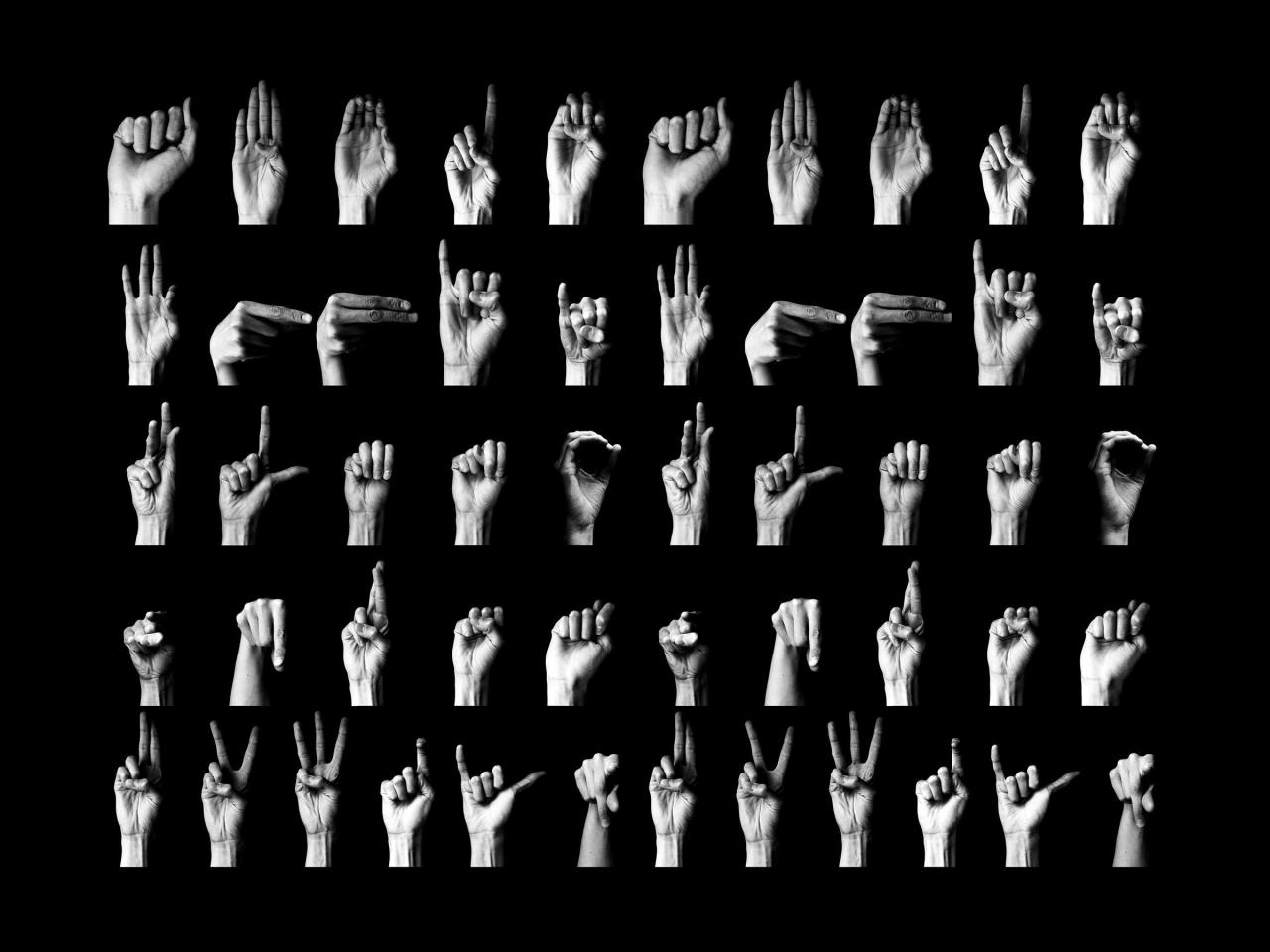
Video chat practice is a powerful tool for sign language acquisition, but its effectiveness is amplified when integrated thoughtfully with other learning resources. This approach ensures a well-rounded learning experience, addressing different aspects of language development and reinforcing knowledge gained from various sources. By combining the dynamic interaction of video calls with the structured learning of classes and the accessibility of digital tools, learners can accelerate their progress and build confidence.Video chat offers a unique opportunity for real-time, interactive practice that mirrors natural communication.
However, it is most impactful when used in conjunction with other learning modalities. This section explores how to synergize video chat practice with existing learning methods, leveraging its strengths to enhance overall proficiency.
Comparing Video Chat Practice with Other Sign Language Learning Resources
Video chat practice offers distinct advantages and complements other learning methods, such as formal classes and language learning applications. While classes provide structured instruction, grammar, and cultural context, and apps offer vocabulary building and repetitive drills, video chat excels in developing fluency, conversational skills, and the ability to interpret and produce sign language in a dynamic, real-time environment.
- Formal Classes: These provide a foundational understanding of grammar, syntax, and cultural nuances. Video chat practice allows learners to immediately apply the concepts learned in class in a practical, communicative setting, reinforcing theoretical knowledge with experiential learning.
- Language Learning Apps: Apps are excellent for vocabulary acquisition and practicing specific signs in isolation. Video chat practice builds upon this by requiring the learner to recall and use vocabulary in context, improving recall speed and comprehension of signed sentences.
- Textbooks and Workbooks: These resources offer detailed explanations and exercises. Video chat practice provides the opportunity to test understanding and application of these materials with a live partner, identifying areas where comprehension or production needs further refinement.
- Self-Study with Videos: Watching and mimicking videos can build recognition. Video chat practice moves beyond passive observation to active participation, requiring spontaneous signing and response, which is crucial for conversational fluency.
Using Video Recordings for Self-Assessment
Recording video chat practice sessions is an invaluable method for self-assessment, offering a unique perspective on one’s signing abilities and areas for improvement. By reviewing these recordings, learners can objectively analyze their performance, identify recurring errors, and track their progress over time.
The process of self-assessment through recordings involves several key steps. Initially, it is important to set up the recording equipment to capture both the signer’s hands and face clearly, ensuring good lighting and a stable camera angle. During the practice session, focus on engaging in natural conversation, just as you would without a recording. After the session, dedicate time to review the footage critically.
- Analyze Sign Clarity: Observe the formation of each sign. Are the handshapes correct? Is the movement fluid and precise? Are there any signs that are consistently unclear or misinterpreted by the practice partner?
- Evaluate Facial Expressions and Body Language: Sign language is a full-bodied communication system. Assess how effectively facial expressions convey grammatical information, emotion, and nuance. Note any stiffness or lack of expressiveness that might hinder communication.
- Monitor Pace and Fluency: Listen to the rhythm and flow of the signed conversation. Are there hesitations or pauses that disrupt the natural flow? Is the pace too fast or too slow for comfortable comprehension?
- Review Comprehension: Pay attention to instances where you might have misunderstood your partner or where your partner struggled to understand you. This can highlight specific vocabulary or grammatical structures that need more attention.
- Track Progress: By comparing recordings from different practice sessions, you can visually see improvements in sign clarity, fluency, and overall communication effectiveness. This can be a significant motivator.
Incorporating Visual Aids and Props
Integrating visual aids and props into video chat practice can significantly enhance learning objectives, making abstract concepts more concrete and facilitating deeper understanding and engagement. These elements add a dynamic and interactive dimension to the practice, catering to different learning styles and specific areas of focus.
The strategic use of visual aids and props can transform a standard practice session into a targeted learning experience. Before a session, discuss with your practice partner which aids or props you plan to use and for what purpose. This ensures both participants are aligned and can maximize the benefit of the activity.
- Vocabulary Building: For learning specific vocabulary, such as objects, actions, or places, use actual objects or clear pictures. For example, when practicing signs for kitchen items, hold up a cup, a plate, or a fork. For signs related to animals, show pictures of those animals. This provides a direct visual referent for the sign.
- Describing Scenes or Events: To practice descriptive signing, use a photograph or a short video clip as a prompt. The learner can then describe the scene or the events unfolding in the visual aid, practicing narrative skills and the use of descriptive signs.
- Explaining Processes or Instructions: For learning signs related to processes (e.g., cooking, building) or giving instructions, props can be extremely helpful. For instance, to practice signing “how to bake a cake,” one could use a simple diagram of the steps or even symbolic props representing ingredients.
- Grammatical Concepts: Certain grammatical concepts can be illustrated using simple drawings or manipulatives. For example, to demonstrate the concept of pluralization or the use of classifiers, visual representations can make the abstract concept more tangible.
- Role-Playing Scenarios: Props can enhance role-playing. If practicing a scenario at a doctor’s office, one partner could hold up a stethoscope or a medical chart to add realism and context to the signing.
Last Recap
In conclusion, harnessing the power of video chat offers an unparalleled opportunity to accelerate your sign language proficiency. By carefully preparing your environment, actively seeking partners, structuring engaging sessions, and focusing on clear visual communication, you can transform remote practice into a highly effective and rewarding experience. Embrace these strategies to build confidence, expand your vocabulary, and connect meaningfully within the vibrant world of sign language.