Navigating the digital world presents a unique set of challenges and opportunities, especially when it comes to communication. This exploration delves into the essential process of learning and adapting sign language to encompass the rapidly evolving landscape of technology and the internet. We will uncover why this specialized vocabulary is not just beneficial, but increasingly vital for full participation in modern society.
Understanding the growing importance of digital literacy in sign language is paramount. As technological advancements reshape our daily interactions, from communication to information access, the need for clear and accessible sign representations for internet terms and technological concepts becomes evident. This guide aims to demystify the creation and acquisition of these crucial signs, ensuring inclusivity in our increasingly connected world.
Understanding the Need for Digital Literacy in Sign Language
The rapid evolution of technology and the internet has fundamentally reshaped how we communicate, access information, and engage with the world. For Deaf and hard-of-hearing individuals who rely on sign language, bridging the digital divide is not just a matter of convenience but of essential inclusion and equal opportunity. Developing a robust and adaptable sign language for the digital realm is therefore of paramount importance.As technology becomes increasingly integrated into every facet of our lives, from professional environments to social interactions and civic participation, the ability to understand and discuss digital concepts through sign language is no longer a niche requirement but a growing necessity.
This digital literacy empowers Deaf individuals to fully participate in an increasingly interconnected society.
Impact of Technological Advancements on Communication for Deaf Individuals
Technological advancements have profoundly influenced the communication landscape for Deaf individuals, offering new avenues for connection and information access while simultaneously presenting new challenges. The internet, in particular, has democratized information and facilitated global communication, but its rich vocabulary often lacks direct equivalents in existing sign language lexicons.
- Enhanced Connectivity: Video calls, instant messaging, and social media platforms have enabled Deaf individuals to connect with friends, family, and colleagues more readily and in real-time, overcoming geographical barriers.
- Access to Information: Online resources, educational platforms, and news outlets provide unprecedented access to information, which can be consumed through video content with sign language interpretation or captions.
- New Forms of Expression: Digital tools have fostered new ways for Deaf individuals to express themselves creatively through online content creation, digital art, and the development of online communities.
- Remote Work and Education: The rise of remote work and online learning has opened up opportunities for Deaf individuals, allowing them to participate in environments that might have previously been inaccessible due to communication barriers.
Challenges with Existing Sign Language Vocabulary for New Internet Terms
The dynamic nature of the internet means new terms, concepts, and technologies emerge constantly. Existing sign language lexicons, while rich and nuanced, often lag behind this rapid pace, creating gaps in communication.
- Lack of Direct Equivalents: Many internet-specific terms, such as “hashtag,” “algorithm,” “cloud computing,” or “cryptocurrency,” do not have established, universally recognized signs. This necessitates descriptive signing or the creation of new signs.
- Ambiguity and Misinterpretation: When signs are not standardized or widely understood, there is a risk of misinterpretation, leading to confusion and hindering effective communication.
- Exclusion from Digital Discourse: The absence of accessible signs for digital concepts can inadvertently exclude Deaf individuals from participating fully in online discussions, professional training, and educational content.
- Dependence on Lexical Borrowing or Description: Without dedicated signs, communication often relies on fingerspelling, mouthing English words (which can be problematic for those who do not lip-read fluently), or lengthy descriptive explanations, which can be inefficient and less impactful.
Benefits of Developing Specialized Sign Language for Technology and the Internet
The development of a specialized sign language for technology and the internet offers significant advantages, fostering greater inclusion, improving access to information, and empowering Deaf individuals in the digital age.
- Enhanced Digital Inclusion: Providing clear and accessible signs for digital concepts ensures that Deaf individuals can engage with technology and the internet on equal footing with their hearing counterparts.
- Improved Information Access: Standardized signs facilitate easier comprehension of technical information, online tutorials, and digital content, thereby promoting lifelong learning and skill development.
- Facilitation of Professional Opportunities: A well-developed digital sign language lexicon allows Deaf professionals to communicate effectively in tech-centric workplaces, participate in online training, and contribute to digital innovation.
- Empowerment and Autonomy: By equipping Deaf individuals with the language to navigate the digital world, they gain greater autonomy and control over their online experiences, from managing personal finances to participating in civic discourse.
- Preservation and Evolution of Sign Language: The creation of new signs for digital concepts is a natural and vital part of the evolution of sign languages, ensuring their continued relevance and ability to express the complexities of modern life.
The digital realm is not a separate world; it is an extension of our reality. Ensuring its accessibility through sign language is a fundamental step towards true digital equity.
Core Concepts in Technology and the Internet for Sign Language Translation
To effectively bridge the communication gap in the digital realm, it is crucial to establish a shared understanding of fundamental technology and internet concepts through sign language. This section Artikels key terms and a systematic approach to signing them, ensuring clarity and accessibility for Deaf individuals engaging with the online world.The digital landscape is built upon a foundation of interconnected terms that describe how we access and interact with information.
Understanding these core concepts is the first step in empowering sign language users to navigate the internet and utilize various technologies.
Fundamental Internet Terms
The internet is a vast network, and several key terms define its structure and how we experience it. These terms are essential for comprehending online navigation and information retrieval.
- Website: A collection of related web pages, images, videos, and other digital assets hosted on at least one web server, usually accessible via the internet. The sign for ‘website’ can be conceptualized as representing a collection of interconnected pages or a digital space.
- Browser: A software application for accessing information on the World Wide Web. It interprets the code of web pages and displays them visually. The sign for ‘browser’ often depicts the act of looking through or accessing information.
- Search Engine: A software system designed to carry out web searches. They are designed to search World Wide Web information using a web crawler and indexer. The sign for ‘search engine’ typically involves the action of looking for something, often with a directional component indicating searching across a broad area.
- Cloud: Refers to servers that are accessed over the internet, not directly by the user. It’s a metaphor for remote data storage and processing. The sign for ‘cloud’ often mimics the shape of a cloud or represents something being stored or accessed from a distant, intangible location.
Common Technology Terms
Beyond the internet itself, various devices and software components are integral to our digital lives. Learning the signs for these terms allows for more nuanced discussions about technology use.
- Smartphone: A mobile phone that combines cellular and mobile computing functions into one unit. It is a versatile device for communication, information access, and entertainment. The sign for ‘smartphone’ usually involves holding a device to the ear and then interacting with a flat surface, representing its communication and interactive capabilities.
- App (Application): A software program designed to run on a mobile device, computer, or other electronic device. Apps are tools that perform specific functions. The sign for ‘app’ often depicts a small, contained item or a window of functionality.
- Software: The programs and other operating information used by a computer. It is the intangible aspect of computing that tells hardware what to do. The sign for ‘software’ can represent a set of instructions or a flow of information.
- Hardware: The physical components of a computer or electronic device, such as the screen, keyboard, or internal circuitry. It is the tangible part that users can touch and interact with. The sign for ‘hardware’ often involves touching or pointing to physical objects or representing the physical structure of a device.
Breaking Down Complex Digital Terms
Complex digital terms can be demystified by breaking them down into their constituent parts or by focusing on their core function. This approach aids in creating intuitive and memorable signs. For instance, the term “digital literacy” itself can be broken down: “digital” might be signed by tapping fingers in a sequence, representing binary code, while “literacy” can be signed by referencing reading or understanding.
Similarly, “cybersecurity” can be signed by combining a sign for “cyber” (perhaps a sweeping motion representing the internet) with a sign for “security” (like a shield or a protective gesture).
The principle of breaking down complex concepts into simpler, recognizable components is key to effective sign language development for new domains.
Essential Digital Vocabulary for Sign Language
A foundational vocabulary is necessary for Deaf individuals to engage meaningfully with technology and the internet. This list highlights essential terms that require clear and consistent sign representations.
The following list presents crucial digital vocabulary that benefits from standardized and easily understandable signs:
- Login/Sign In: The process of authenticating oneself to access a system or service.
- Logout/Sign Out: The process of exiting a system or service.
- Download: Transferring data from a remote system to a local one.
- Upload: Transferring data from a local system to a remote one.
- Wi-Fi: A wireless networking technology that allows devices to connect to the internet or to each other.
- Internet Connection: The link that allows a device to access the internet.
- Data: Information, especially facts or numbers, collected to be examined and considered and used to help decision-making, or used to search for the truth about something.
- Password: A secret word or phrase used to gain admission to something.
- Username: A name that identifies a user of a computer system.
- Link: A connection between two things. In the context of the internet, it is a clickable element that directs users to another page or resource.
- File: A collection of data stored in one unit, identified by a filename.
- Folder: A container used to organize files.
- Update: To make something more modern or up-to-date.
- Notification: A message informing a user of an event or action.
- Privacy: The state of being free from being observed or disturbed by other people.
Developing Signs for Specific Online Platforms and Services
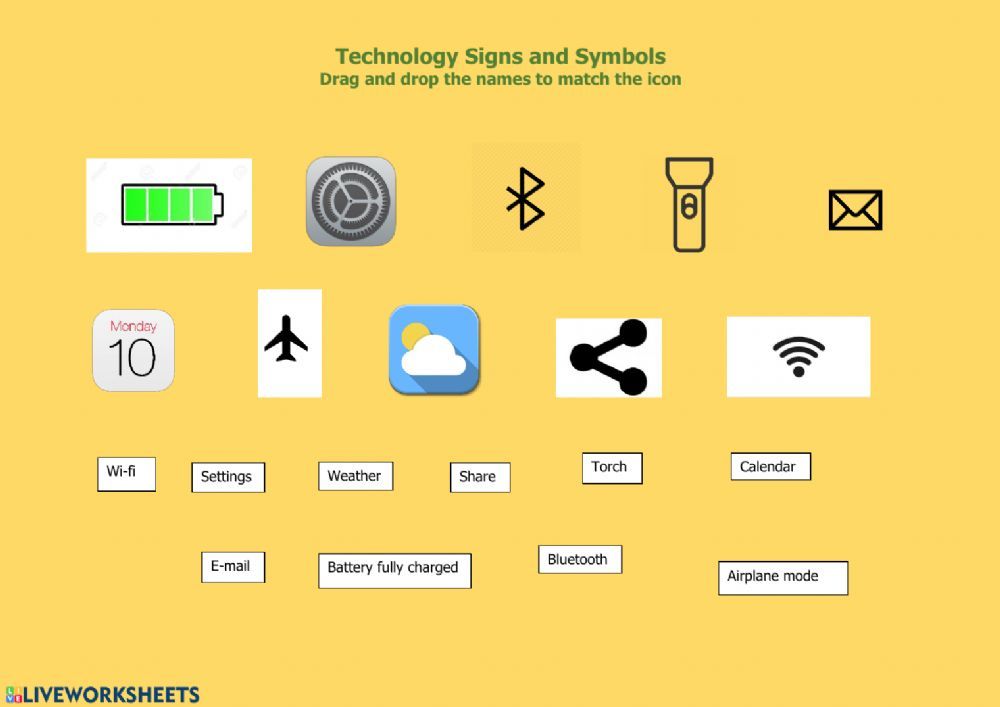
As digital interaction becomes increasingly integrated into our daily lives, the ability to communicate about specific online platforms and services using sign language is crucial for full participation. This section focuses on creating clear and effective signs for a variety of common online tools and activities, ensuring that deaf and hard-of-hearing individuals can fully engage with the digital world. The development of these signs aims for intuitiveness, often drawing from the function or visual characteristics of the platform or service.The creation of signs for online platforms and services involves a thoughtful process of conceptualization and representation.
It requires understanding the core function of each service and translating that into a visual language that is both accessible and easily memorable for sign language users. This process often involves adapting existing signs or creating entirely new ones that accurately reflect the digital experience.
Social Media Platforms
Designing signs for social media platforms involves capturing their essence and primary functions. These signs should be distinct enough to differentiate between platforms while being easily recognizable.Here are examples of how to develop signs for popular social media platforms:
- Facebook: A sign representing the “f” shape of the logo, often combined with a gesture indicating connection or a network of people. The dominant hand forms an “f” shape, moving outwards from the chest to signify spreading connections.
- Twitter: This sign typically mimics a bird in flight, reflecting the platform’s bird logo and its fast-paced, short-message nature. The dominant hand, shaped like a bird’s head and beak, moves quickly forward and slightly up.
- Instagram: The sign often incorporates a gesture of taking a photo or framing a picture, reflecting the platform’s focus on visual content. The dominant hand forms a square or rectangle, as if framing a shot, sometimes followed by a “thumbs up” to signify appreciation of imagery.
Communication Tools
Effective communication is at the heart of the internet, and signs for communication tools should reflect their specific methods of interaction.Methods for signing about common communication tools include:
- Email: This sign commonly involves forming a letter shape with one hand and then tapping it with the other, representing the act of sending and receiving messages. The dominant hand forms a “C” shape, and the non-dominant hand taps the palm of the dominant hand, signifying a message being sent.
- Video Calls: Signs for video calls often combine gestures for “seeing” and “talking” or “connecting.” The hands can be brought together, with fingers extended and wiggling to represent faces or multiple participants, and then a gesture of speaking or linking is added.
- Messaging Apps: These signs usually convey the idea of quick, sequential messages. A common representation involves flicking the fingers of one hand in quick succession, or making a “typing” motion with the fingers of both hands.
Online Shopping and Banking
Navigating the world of e-commerce and digital finance requires specific signs that clearly convey these transactional activities.The following demonstrates how to represent online shopping and banking concepts in sign language:
- Online Shopping: This sign can be depicted by a gesture of placing items into a virtual cart or bag, often followed by a gesture of “paying” or “transaction.” The hands mimic picking up items and placing them into an imaginary cart, then a quick motion of swiping a card or exchanging money.
- Online Banking: Signs for online banking often involve gestures related to money, accounts, and security. A common sign involves forming a wallet or account symbol with one hand and then making a “checking” or “managing” motion with the other.
Streaming Services and Digital Content Creation
The consumption and creation of digital media are significant aspects of online life, and distinct signs are needed to discuss these activities.Methods for signing about streaming services and digital content creation are as follows:
- Streaming Services: This sign typically represents the continuous flow of content, often with a gesture of “watching” or “playing.” The dominant hand moves in a flowing, wavy motion, indicating a stream, and is often combined with a handshape representing a screen or viewing.
- Digital Content Creation: Signs for creating content can be varied, often involving gestures of “making,” “recording,” or “producing.” For example, a sign might involve mimicking typing on a keyboard, using a camera, or editing a video, depending on the type of content. A general sign could involve hands shaping a block of content and then molding it, signifying creation.
Principles of Sign Creation for Abstract Digital Concepts
Developing signs for abstract digital concepts requires a thoughtful approach that bridges the gap between the tangible world of signs and the intangible realm of technology. Unlike concrete objects or actions, abstract ideas like ‘data’ or ‘algorithm’ necessitate creative solutions that rely on visual metaphors, contextual understanding, and established linguistic principles within sign languages. The goal is to create signs that are not only understandable but also memorable and easily integrated into natural communication.The process involves breaking down complex digital ideas into their fundamental components and then translating those components into visual and gestural representations.
This often draws upon existing sign language vocabulary, adapting it for new meanings, or coining entirely new signs based on the inherent characteristics of the concept. Effective sign creation for abstract digital terms ensures that the Deaf community can fully participate in and understand discussions about the digital world.
Creating Signs for Abstract Concepts: ‘Data’, ‘Algorithm’, and ‘AI’
Representing abstract concepts such as ‘data’, ‘algorithm’, and ‘Artificial Intelligence’ (AI) involves identifying core characteristics and translating them into visual language. For ‘data’, a common approach is to represent it as individual pieces or streams of information. This could involve movements like scattering fingers to signify multiple data points, or a flowing hand motion to represent a continuous stream of information.
The sign might also incorporate a visual cue for collection or storage.For ‘algorithm’, the focus is on the process or sequence of steps. Signs might involve a series of distinct hand movements in a specific order, perhaps with a directional component to indicate progression. This could be visualized as a structured pathway or a set of instructions being executed. The sign for ‘algorithm’ aims to convey a sense of logical flow and predetermined steps.’Artificial Intelligence’ (AI) often involves concepts of thinking, learning, and problem-solving, but in a non-human context.
Signs for AI might combine elements that suggest intelligence (e.g., a tapping motion near the head, symbolizing thought) with a representation of artificiality or machine-like processing. This could involve a mechanical or repetitive movement, or a sign that indicates creation or simulation. The aim is to convey a sense of intelligent capability originating from a non-biological source.
Conveying Concepts: ‘Cybersecurity’, ‘Privacy’, and ‘Encryption’
Communicating abstract concepts related to security and privacy in the digital space requires signs that evoke protection, secrecy, and transformation. For ‘cybersecurity’, signs often focus on the idea of defense and protection against threats. This might involve a shielding motion with the hands, or a gesture of building barriers. The sign can also convey the idea of monitoring or vigilance to detect and prevent intrusions.’Privacy’ is typically represented by signs that indicate personal space, exclusivity, or the right to control one’s information.
This could involve a closed fist held near the body, signifying personal boundaries, or a motion of drawing a circle around oneself. The concept of keeping something hidden or exclusive is central to the sign for privacy.’Encryption’ deals with the process of making information unreadable to unauthorized individuals. Signs for encryption often visually represent transformation and complexity. This could involve a hand motion that twists or interlaces fingers, symbolizing the scrambling of information.
Another approach might be to show information being put into a ‘locked’ state, or a process of encoding that changes its original form. The sign aims to communicate the act of securing data through transformation.
Representing Internet Actions: ‘Downloading’, ‘Uploading’, and ‘Sharing’
Actions performed on the internet, such as ‘downloading’, ‘uploading’, and ‘sharing’, are often represented through dynamic and directional signs that indicate the movement of information. For ‘downloading’, the sign typically depicts information moving from a remote location (represented by a hand moving away) towards the user (represented by a hand moving towards the body). This can be visualized as data flowing downwards or inwards.’Uploading’ is the inverse of downloading, with information moving from the user’s device to a remote location.
The sign for uploading often shows a hand moving upwards or outwards, signifying the transmission of data away from the user. This can be represented as information being sent into the cloud or to a server.’Sharing’ involves the distribution of information to multiple recipients. Signs for sharing often convey the idea of dissemination or distribution. This might involve an open hand moving outwards in multiple directions, or a motion that suggests passing something from one person to another.
The sign aims to communicate the act of making information accessible to others.
Using Visual Metaphors and Contextual Cues for Digital Ideas
The creation of signs for intangible digital ideas heavily relies on the strategic use of visual metaphors and contextual cues. Visual metaphors draw parallels between the abstract digital concept and a more concrete, observable phenomenon. For instance, ‘data’ can be metaphorically represented as water flowing, individual drops, or building blocks, depending on the specific nuance being conveyed. ‘Cloud computing’ might use a sign that visually represents a cloud shape or a fluffy, dispersed entity.Contextual cues are crucial for disambiguating signs and ensuring clear communication.
When introducing a new sign for a digital concept, its meaning is reinforced by the surrounding discussion. For example, when discussing ‘cookies’ in a cybersecurity context, the sign used would be distinct from a sign for edible cookies, with the conversation clarifying the digital nature. This might involve a sign that represents tracking or a small piece of information being placed.
The effectiveness of a sign for an abstract digital concept is often determined by its ability to evoke a mental image that aligns with the concept’s core function or characteristic.
For abstract concepts like ‘network’, a visual metaphor might involve hands interlinking or a web-like motion to represent interconnectedness. The idea of ‘firewall’ could be represented by a barrier or a protective shield in front of a device. These metaphors leverage our understanding of physical interactions to make abstract digital processes comprehensible. The continuous evolution of technology necessitates ongoing innovation in sign language to ensure that the digital world remains accessible to all.
Resources and Methods for Learning and Teaching Digital Signs
Acquiring proficiency in signing for technology and the internet requires a structured approach to both learning and teaching. This section Artikels effective strategies, curriculum organization, and the utilization of various resources to facilitate the development and dissemination of digital sign language vocabulary.The effective transmission of knowledge for any subject, including specialized sign languages, hinges on well-defined pedagogical frameworks and accessible learning materials.
For digital signs, this involves understanding how learners best absorb new visual information and how educators can most effectively present these concepts.
Curriculum Organization for Technology and Internet Signs
A well-structured curriculum is essential for systematically teaching the complex and evolving landscape of technology and internet signs. This involves breaking down the subject matter into manageable modules, progressing from foundational concepts to more specialized applications.A sample curriculum structure could include the following modules:
- Module 1: Foundational Digital Concepts: This module would cover basic signs for terms like “computer,” “internet,” “website,” “email,” “search,” and “download.” It would focus on building a core vocabulary that underpins more advanced topics.
- Module 2: Online Communication and Social Media: Signs for platforms like “Facebook,” “Twitter,” “Instagram,” “video call,” “chat,” “message,” and “post” would be introduced. Emphasis would be placed on the nuances of online interaction.
- Module 3: Software and Applications: This module would address signs for common software types and specific applications, such as “word processor,” “spreadsheet,” “browser,” “app,” “update,” and “install.”
- Module 4: Hardware and Devices: Signs for physical technological components like “smartphone,” “tablet,” “laptop,” “keyboard,” “mouse,” “router,” and “cloud storage” would be covered.
- Module 5: Advanced Internet Concepts: This module would delve into more abstract or specialized terms like “artificial intelligence,” “cybersecurity,” “data,” “algorithm,” “streaming,” and “virtual reality.”
- Module 6: Problem-Solving and Troubleshooting: Signs related to common technical issues and their solutions, such as “error,” “bug,” “restart,” “connect,” and “disconnect,” would be taught.
Each module should incorporate opportunities for practice, review, and application of the signs learned. The curriculum should also be flexible enough to adapt to new technologies and evolving digital terminology.
Effective Learning Strategies for Digital Signs
Individuals learning digital signs benefit from a variety of strategies that cater to visual and kinesthetic learning styles. Active engagement with the material and consistent practice are paramount for retention and fluency.Key learning strategies include:
- Repetition and Practice: Consistent, deliberate practice is crucial. This can involve repeating signs, using them in sentences, and engaging in role-playing scenarios.
- Contextual Learning: Learning signs within their natural context, such as discussing a specific website or app, aids understanding and recall.
- Visual Association: Connecting signs to the visual appearance or function of the technology or internet concept can enhance memory. For example, the sign for “scroll” might mimic the action of scrolling a screen.
- Mnemonics and Memory Aids: Creating personal associations or stories around a sign can help solidify its meaning.
- Peer Learning and Collaboration: Practicing with other learners or native signers provides valuable feedback and diverse perspectives.
- Active Recall: Regularly testing oneself on learned signs without looking at prompts strengthens memory retrieval.
- Immersion: Whenever possible, engaging with deaf individuals who use these signs in real-world technological contexts provides authentic learning opportunities.
It is important for learners to identify which strategies resonate most with their individual learning preferences and to incorporate a combination of these methods into their study routine.
Visual Aids for Digital Sign Language Learning
Visual aids play a critical role in supporting the learning of digital signs, as they bridge the gap between abstract concepts and their concrete representation in sign language. These aids help learners visualize the signs and understand their meanings more readily.Different types of visual aids that can support sign language learning for digital topics include:
- Diagrams and Infographics: These can illustrate the relationships between different digital concepts or break down complex processes into visual steps, with corresponding signs depicted. For instance, an infographic on how the internet works could have signs for “server,” “router,” and “device” placed appropriately.
- Flowcharts: Useful for explaining sequential processes in technology, such as troubleshooting steps or software installation, with signs accompanying each step.
- Screenshots and Video Clips: Showing actual interfaces of websites, applications, or devices while demonstrating the relevant signs provides direct context and application. For example, a video clip showing a user navigating a social media app while signing relevant terms.
- Illustrated Dictionaries or Glossaries: These resources present signs with clear illustrations or diagrams, accompanied by written definitions and contextual examples.
- Animations: Animated sequences can demonstrate the formation and movement of signs, particularly for complex or abstract concepts, making them easier to follow and replicate.
- Mind Maps: These can visually organize related digital terms and their corresponding signs, helping learners see connections and expand their vocabulary.
The most effective visual aids are those that are clear, accurate, and directly relevant to the signs being taught, providing learners with multiple pathways to understanding.
Approaches to Documenting and Disseminating New Digital Sign Vocabulary
The rapid evolution of technology necessitates ongoing documentation and dissemination of new digital sign vocabulary. Effective approaches ensure that sign language remains a living and adaptive communication system.Various approaches to documenting and disseminating new digital sign vocabulary offer distinct advantages:
- Digital Sign Language Dictionaries and Databases: These online resources are invaluable for storing and accessing a wide range of signs. They often include video demonstrations, written definitions, and usage examples. Some are collaborative, allowing users to contribute new signs.
- Sign Language Lexicons and Glossaries: Published books or comprehensive online glossaries provide a more curated and often linguistically analyzed collection of signs. These are typically developed by experts and can offer detailed explanations of sign formation and semantic nuances.
- Video Platforms and Online Tutorials: Platforms like YouTube and Vimeo are widely used for sharing video demonstrations of new signs. Instructors and deaf communities create content that is easily accessible and searchable, often focusing on specific emerging technologies or trends.
- Academic Research and Publications: Linguists and researchers in sign language studies contribute to the formal documentation of new vocabulary through scholarly articles, books, and conference presentations. This provides a rigorous and evidence-based approach to sign creation and validation.
- Community-Based Initiatives and Workshops: Grassroots efforts, workshops, and local deaf community gatherings are crucial for the organic development and adoption of new signs. These informal settings allow for immediate feedback and collective agreement on sign usage.
- Social Media Groups and Forums: Dedicated online groups and forums provide a space for discussion, sharing, and rapid dissemination of newly coined signs within the deaf community and among sign language learners.
Each method plays a role in the comprehensive effort to keep sign language current with technological advancements. The most successful strategies often involve a combination of these approaches, ensuring broad accessibility and accurate representation of new digital signs.
Illustrating Digital Concepts Visually Through Sign Language
Visual representation is paramount in sign language, and this principle extends powerfully to conveying the abstract and often invisible concepts of technology and the internet. By carefully crafting signs that mimic actions, structures, or perceived qualities, sign language can effectively bridge the gap between complex digital ideas and clear, understandable communication for Deaf individuals. This section explores how specific digital concepts can be visually translated into expressive signs.The effective visual translation of digital concepts relies on a deep understanding of both the technological idea and the principles of sign language.
Signs are not merely arbitrary gestures; they often draw from iconic representations, metaphorical associations, and established linguistic structures. When creating signs for digital concepts, the goal is to make the meaning intuitively understandable through visual cues, leveraging the inherent visual-spatial nature of sign languages.
Visualizing Virtual and Augmented Reality
Virtual Reality (VR) and Augmented Reality (AR) represent immersive and overlaid digital experiences, respectively. The signs for these concepts need to convey a sense of presence within a digital space or the integration of digital elements into the physical world.For ‘virtual reality’, a common approach involves forming a frame or headset shape with the hands around the eyes, often accompanied by a sweeping motion to indicate immersion or entering a new space.
The hands might then simulate interaction with this unseen environment, perhaps by touching or manipulating virtual objects. The facial expression typically conveys engagement, wonder, or focus on the virtual experience.’Augmented reality’ can be visually distinguished by signs that show the layering of digital information onto the real world. This might involve using one hand to represent the physical environment and the other hand to “project” or “overlay” digital elements onto it.
Signs might include pointing to the real world and then making a gesture that signifies a digital overlay, such as a shimmering effect or a floating icon. The eyes might scan between the real and imagined digital layers, emphasizing the blend of realities.
Representing Connectivity and Networks
The concepts of ‘connectivity’ and ‘network’ are fundamental to the internet and digital communication. Their signs must communicate the idea of links, flow, and interconnectedness between multiple points.’Connectivity’ is often represented by signs that show two or more points coming together or being linked. This can be achieved through gestures where fingers touch or interlock, or by tracing lines that connect distinct points in space.
A common visual metaphor involves two hands moving towards each other and then joining, symbolizing the establishment of a connection.’Network’ expands on this idea to represent a larger, interconnected system. Signs for network might involve a sweeping motion with the hands, indicating multiple connections spreading out, or a circular motion that suggests a web or grid of interdependencies. Gestures that show multiple points linked by lines, or hands forming a web-like structure, are also effective.
The sense of continuous flow and interaction is crucial in conveying the dynamic nature of a network.
Conveying Artificial Intelligence and Machine Learning
‘Artificial intelligence’ (AI) and ‘machine learning’ (ML) are abstract concepts that require signs to represent intelligence, learning, and processing. These signs often draw on metaphors related to the mind, data, and growth.For ‘artificial intelligence’, signs can involve gestures that mimic thinking or processing. This might include tapping the forehead, forming a brain-like shape with the hands, or a motion that suggests a system analyzing information.
The sign often aims to convey a non-human intelligence that can perform cognitive tasks.’Machine learning’ specifically refers to the process by which AI systems learn from data. Signs for ML often incorporate elements of data input and iterative improvement. This could involve a gesture of feeding information (data) into a system, followed by a sign indicating growth, refinement, or increasing capability.
A cyclical motion can represent the learning loop, where the system processes data, makes predictions, and then adjusts based on the outcomes. The expression might convey a sense of ongoing development and adaptation.
Gestural and Facial Expressions Enhancing Digital Concept Understanding
The effectiveness of signs for digital concepts is significantly amplified by appropriate gestural and facial expressions. These non-manual markers provide crucial context, emotion, and nuance, transforming a simple gesture into a rich communicative act.Gestures should be precise and deliberate, mimicking the actions or qualities of the digital concept. For instance, the speed and fluidity of a gesture can convey the speed of data transfer, while the size and scope of a hand movement can represent the scale of a network.
Repetitive or continuous movements can indicate ongoing processes, such as data streaming or continuous learning.Facial expressions are equally vital. A look of concentration can emphasize the processing power of AI, while a wide-eyed expression might convey the wonder of virtual reality. Expressions of surprise or discovery can signify breakthroughs in machine learning. A neutral or informative expression is suitable for defining a concept, while a more dynamic expression can illustrate the interactive nature of digital platforms.
Together, precise gestures and evocative facial expressions ensure that digital concepts are not just signed, but truly understood and felt by the recipient.
Summary
In conclusion, mastering the signs for technology and the internet empowers individuals to fully engage with the digital realm. By understanding the principles of sign creation, exploring core concepts, and utilizing available resources, we can foster a more inclusive and accessible digital future for everyone. This journey of linguistic adaptation ensures that no one is left behind in the face of technological progress.